A receipt scanner that remembers what groceries cost
A supermarket receipt is the most accurate price list you will ever hold, and it goes in the bin on the way out. EasyPlate scans it first. Point the camera, the app recognizes the paper and takes the picture on its own, and the AI reads each line into a product, a quantity, a unit and a price.
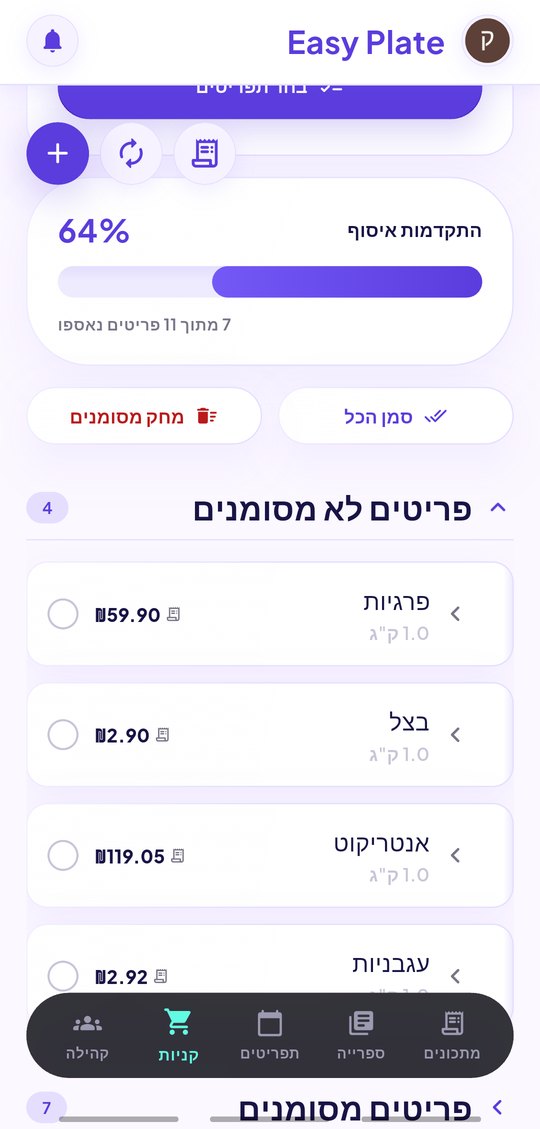
Those lines become your price book. The next time an item is on your grocery list, EasyPlate shows what you paid for it last and estimates the total of the whole list before you leave the house. Long receipt? Take several photos or upload the PDF and they are merged into one.
3 min read
Free to start. No credit card needed.
Scan without pressing anything
Open the scanner from the grocery list. A tall guide frame shows where the receipt goes; when the paper sits inside it and the phone is still, the picture is taken for you.
- Several photos for a long receipt, merged into one scan.
- A photo from the gallery or a PDF receipt from the store app works too.
- If the camera is unavailable the phone’s own camera opens instead.
The AI reads every line
The scan goes to the AI, which returns product lines, not a pile of text:
- Generic product names ("entrecôte"), with the till’s wording kept alongside.
- A unit for every line: per piece, per kilogram or per liter, with the quantity in that unit.
- Deposits, bag charges, discounts and totals are left out, so the book holds prices only.
- Lines the AI could not read are listed as notes, so nothing is silently dropped.
From receipt to price book to list
You review the lines, fix anything, and save. From then on:
- The grocery list shows a price per line and an estimated total, marked as based on your past receipts.
- The price book lists receipts by date, store and total, and the latest price per product.
- Optionally share anonymized prices and see the median other shoppers paid.
How it works
-
01
Open the scanner from the grocery list
Tap the receipt icon, then the camera. Hold the receipt inside the frame.
-
02
Let the AI read it
Lines appear with product, quantity, unit and price. Fix anything, add what was missed.
-
03
Save and shop smarter
Prices attach to your list items; the estimated total appears on the next list.
Frequently asked questions
Which receipts can it read?
Any printed supermarket or grocery receipt, in the languages the app supports. Faded thermal paper is read as far as it is legible; unreadable lines are flagged.
Is my receipt uploaded anywhere?
The picture is sent to EasyPlate’s servers for the AI to read and the result is stored in your account. Sharing prices with other users is a switch you control, and it never includes the receipt itself.
Can I add a price without a receipt?
Yes. The price book has an "add price" action for a product, store and price you typed.
Does it track my spending?
It keeps the receipts you scanned, with store, date and total, and the price history per product. It is a price book, not a budget app.
More guides

Scan the receipt before it hits the bin.
Download EasyPlate and keep every price.